
Run your overlay from your phone.
The Control Room opens in a browser, on your phone, a tablet or a second screen. You launch your widgets during the stream, without switching windows on your streaming PC.
Free plan · No credit card
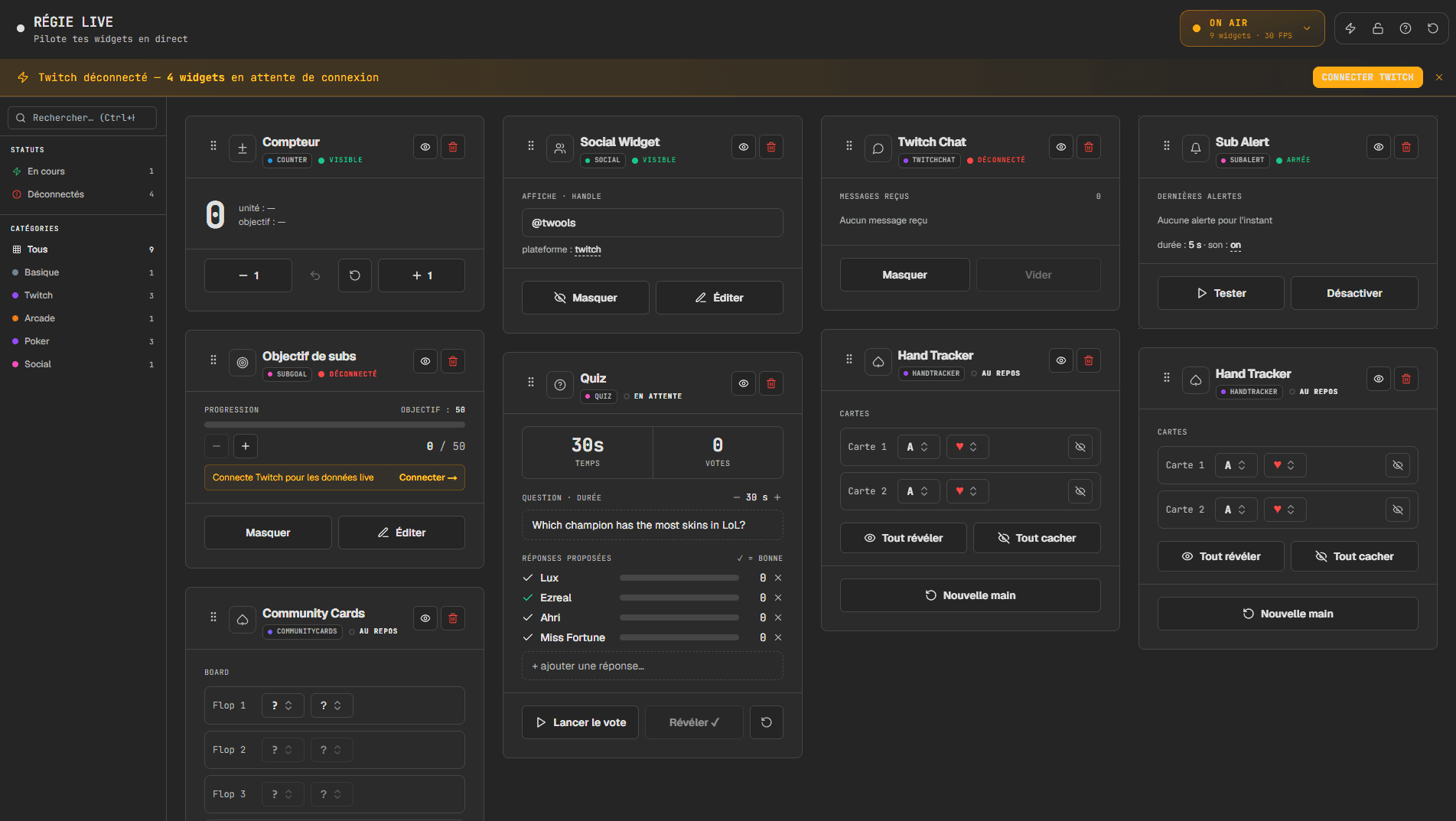
What the Control Room does
One card per widget
Each widget in your overlay has its card, with its own controls: start a timer, add a point, launch a question, show or hide the widget.
Any device
Phone, tablet or second screen: a browser is enough, with no app to install. Several devices can run the same overlay at the same time.
No need for the same network
The Control Room works over the Internet. Your phone can stay on mobile data while your streaming PC is on Wi-Fi or wired.
The overlay's status in view
A badge tells you whether your browser source responds. It shows ON AIR when the overlay is running, and SOURCE SILENT when your streaming software no longer displays it.
Open the Control Room in three steps
- 01
Build your overlay on a computer
The editor requires a computer. Add your widgets, then paste your overlay link into your streaming software.
- 02
Open the Control Room on your phone
In the editor, the "Overlay link" button shows a QR code. Scan it, or open twools.app/control_panel in your browser.
- 03
Sign in and run the show
Sign in with the same Twools account. Your widgets appear as cards, ready to be launched.
What the Control Room does not do
Frequently asked questions about the Control Room
Do I need to install an app on my phone?
No. The Control Room is a web page. It opens in your phone's browser once you are signed in to your Twools account.
Can I lock the Control Room during the stream?
Yes. The padlock blocks rearranging and deleting cards. The widget controls stay active.
What happens if the connection drops during the stream?
The overlay keeps the last state it received. When the connection returns, it reloads the full state. A check every 30 seconds also catches up on a missed update.
Can I create a widget from my phone?
No. Widgets are created in the editor, on a computer. The phone is for running them.