
Free, Essential, Pro and the 7-day trial
Your account · 4 min read
Before you build your overlay, you want to know what is free, what the rest costs and whether you will be asked for your card. Once signed up, you wonder what each plan adds and how to stop it. Twools has a free plan, with no credit card, and two paid plans, Essential and Pro, and "My account" shows yours.
On this page
Before you start
- A Twools account, with your email, Google or Twitch: signing up asks for no credit card
- To subscribe or manage your subscription, be signed in to that account: "My account" only opens once you are signed in
The steps
What the free plan includes
11 of 29 widgets are included in the free plan, with the editor and the live control room. Twools Essential unlocks 19 widgets and removes the watermark. Twools Pro unlocks all 29 widgets. The watermark is a small logo and the word "Twools" in the bottom-right corner of your image. Each plan opens its share of the widgets and looks, and customizing what you place is the same everywhere.
Try Pro with no credit card
The trial starts on its own the first time you open the editor: the "Welcome to Twools" window announces it, with its end date. If you go to the pricing page first, it starts the first time you click either button, "Choose Essential" or "Choose Pro". It lasts 7 days and asks for no credit card. Meanwhile, your account is Pro, without the watermark. One trial per account, and none for an account already subscribed to Pro or that received a complimentary Pro period. In "My account", a countdown and the "Trial ends" line tell you when it stops.
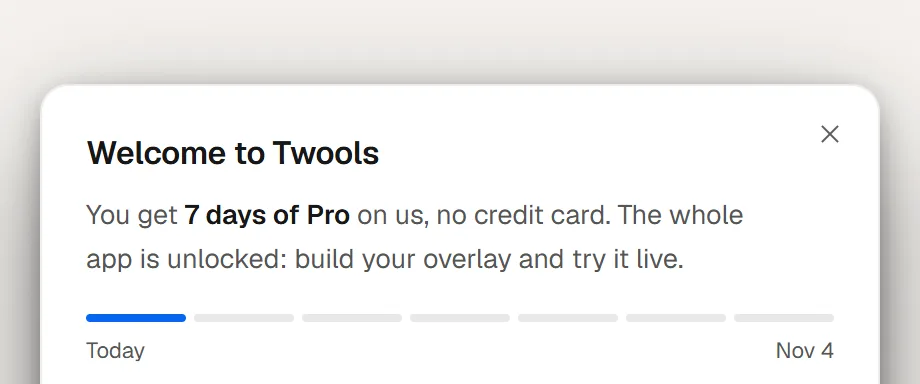
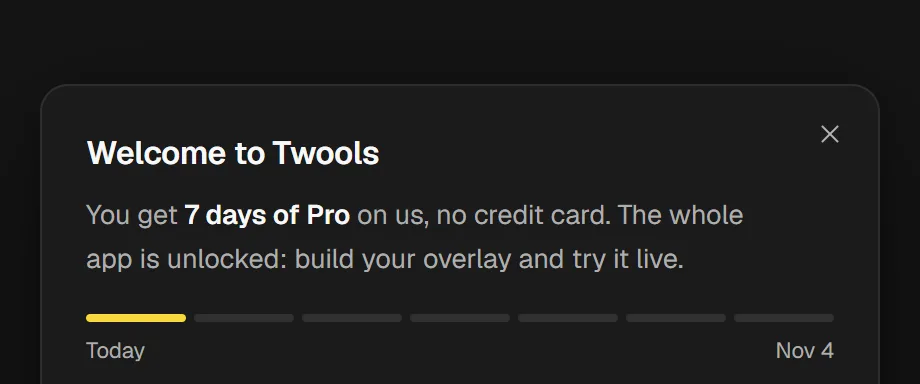
The "Welcome to Twools" window, the first time you open the editor: the trial on us, with no credit card, with its end date. When the trial ends
If you do not subscribe, your account returns to Free when the trial ends, with no charge. The watermark comes back, and your widgets outside the free plan stay in your scenes but no longer show on your overlay. The next time you open the editor, the "Your Pro trial has ended" window tells you so, once. Your creations stay saved.
Subscribe to Essential or Pro
Twools Essential costs €6.49 per month, or €59.90 per year, VAT included. Twools Pro costs €12.99 per month, or €119.90 per year, VAT included. On the pricing page, choose "Monthly" or "Yearly", then click "Choose Essential" or "Choose Pro" while signed in to your account. You pay by card on Stripe, which shows the amount and the date of the first payment before you confirm. If you subscribe during your trial, you pay nothing before it ends. In the editor, the menu of your account's round button also offers "Upgrade to Pro". That item opens the Twools Pro window, which leads to the same payment, then brings you back to the editor.
Manage or cancel your subscription
Open "My account": in the site header once you are signed in, or in the editor, through the round button with the initial of your email, on the right of the top bar. Under "My subscription", Twools shows your plan and, depending on your situation, its status and its dates. Once subscribed, click "Manage or cancel my subscription" to open Stripe's portal, where you handle your invoices, your payment method and canceling. Stripe is our payment provider. Once canceled, you keep your plan until the "Subscription ends" date, then your account returns to Free.
Tips
- A source already open in OBS keeps its display: once you subscribe to Essential or Pro, reload it to remove the watermark.
- To delete your account while keeping your plan until the end of the period, stop the renewal first: deleting cancels the subscription with no refund of the current period.
Frequently asked questions
Do I need a credit card to try Pro?
No. The trial asks for no card, and nothing is charged when it ends if you do not subscribe. Your card is only needed when you subscribe, on Stripe.
Can I take the Pro trial again?
No: there is one trial per account. After that, Pro comes with a subscription.
How do I cancel my subscription?
In "My account", through "Manage or cancel my subscription", on Stripe's portal. When a plan change is scheduled, "Cancel subscription" is on the My account page itself. You keep your plan until the end of the current period. If you subscribed during your trial, the "First automatic payment" line gives the date to cancel before.
Where can I see how many AI requests I have left?
AI is reserved for the Pro trial and the paid plans: the free plan has no AI request outside the trial, Essential includes 30 a month, Pro 300, trial included. On Essential, the "Describe your stream" box, on an empty scene, shows what you have left this month, and the AI reminds you before each touch-up. With Pro, there is no counter while you have requests left. Requests come back on the first day of each month.
What's next
Reference page: An overlay editor, and a control room to run it live.
Start on the free plan
One sentence to create, one link to go live, your phone to run it.
Free plan · No credit card